SLiCAP Schematic Capture — User Manual
A graphical schematic editor for SLiCAP (Symbolic Linear Circuit Analysis Program, https://www.slicap.org) and NGspice. It lets you draw a circuit once and use the same drawing both as a publication-quality figure and as a runnable netlist — keeping design and documentation a single activity rather than two that must be manually kept in sync.
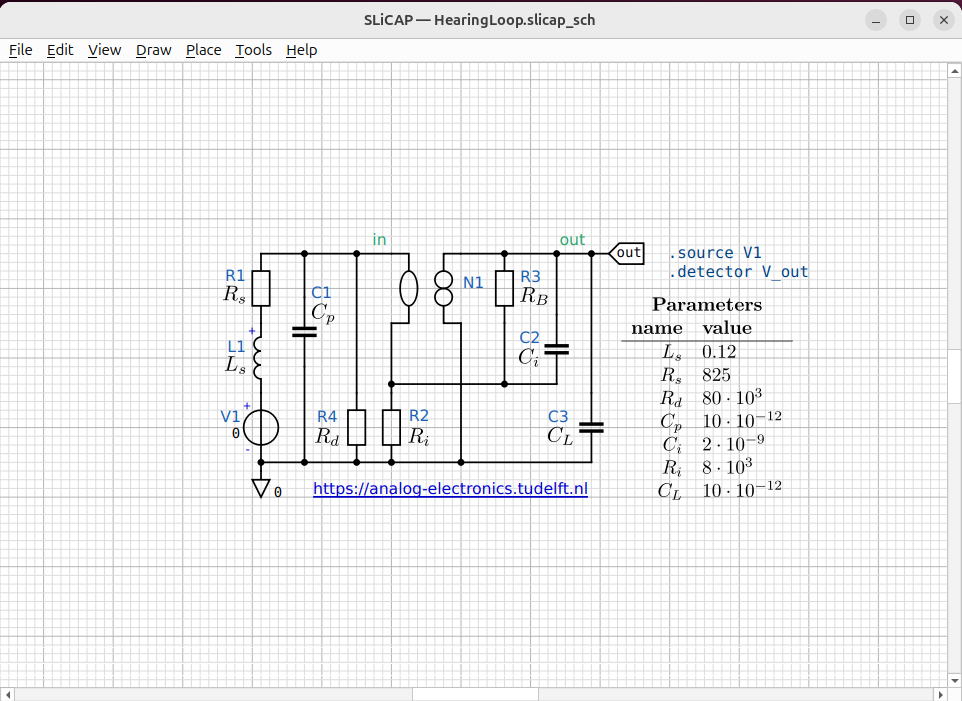
Fig. 27 A finished schematic: components, wires, net labels, a parameter table and a hyperlink annotation — exported straight to the figure you are reading.
Note
This manual is a draft. The boxed images are placeholders; capture the
screenshots listed in docs/images/PLACEHOLDERS.txt and drop them in
docs/images/ to complete it.
Contents
- Introduction
- Getting Started
- The Canvas
- Placing Symbols
- Component Properties
- Wiring
- Net Labels, Ports & Ground
- Annotations
- Preferences
- Project Files
- Symbol Libraries
- Netlist & Export
- Hierarchical Blocks
- Program Design
- Overview
- Layer 1 — Symbol Definitions (
symbol_library.py) - Layer 2 — Component Metadata Registry (
component_item.py) - Layer 3 — Data Model (
schematic_data.py) - Layer 4 — Canvas Scene (
canvas.py+*_item.py) - Layer 5 — Interaction and Editing Modes (
canvas.py) - Layer 6 — Connectivity (
connectivity.py+canvas.py) - Layer 7 — Project and File Layout (
project.py) - Layer 8 — Export (
export.py,netlist.py) - Layer 9 — Application Window (
window.py,canvas.py) - Layer 10 — Configuration (
config.py,style.ini) - Data-Flow Summary