Structured Electronic Design Environment — Manual
A design environment for SLiCAP (Symbolic Linear Circuit Analysis Program, https://www.slicap.org) and NGspice. You draw a circuit and compose its analysis instructions through dialogs; the environment writes a plain Python instruction file that puts the full symbolic and numeric analysis of your circuit at your disposal — for design automation, verification and generated documentation. The same drawing serves as the runnable netlist and as the publication figure, so design and documentation stay one activity instead of two that must be kept in sync by hand.
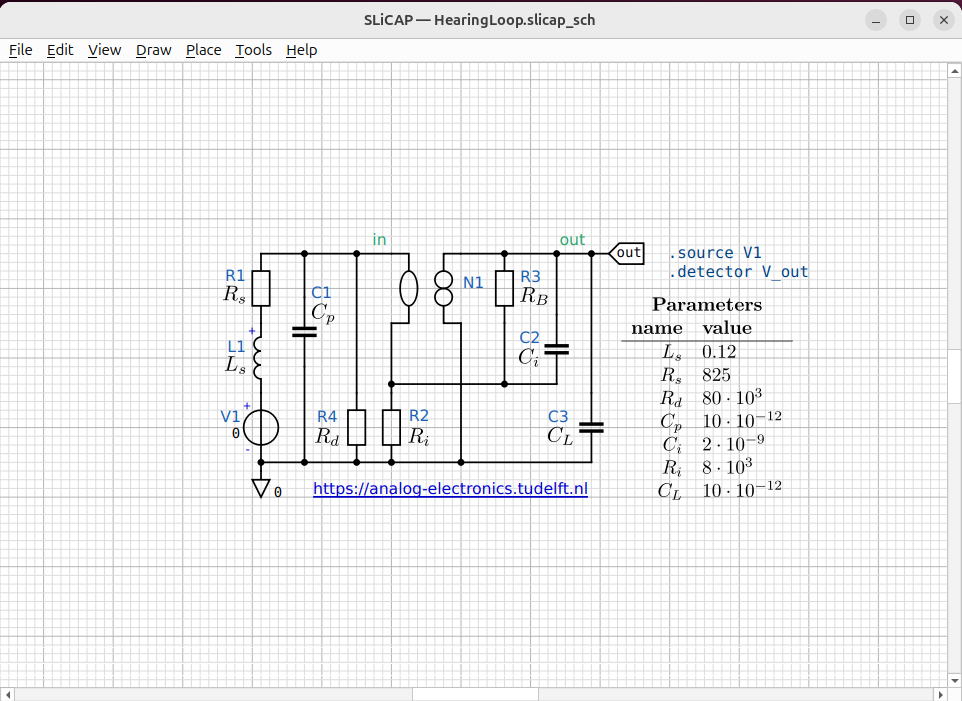
Fig. 26 A finished schematic: components, wires, net labels, a parameter table and a hyperlink annotation — exported straight to the figure you are reading.
Note
This manual is a (far from completed) draft!
Contents
- Introduction
- Getting Started
- Projects
- Creating / editing schematics
- Placing Symbols
- Component Properties
- Wiring
- Net Labels, Ports & Ground
- Annotations
- The symbol editor
- Preferences
- Netlist & Export
- Hierarchical Blocks
- Instructions and Circuit Objects
- Symbol Libraries
- Program Design
- Overview
- Layer 1 — Symbol Definitions (
symbol_library.py) - Layer 2 — Component Metadata Registry (
component_item.py) - Layer 3 — Data Model (
schematic_data.py) - Layer 4 — Canvas Scene (
canvas.py+*_item.py) - Layer 5 — Interaction and Editing Modes (
canvas.py) - Layer 6 — Connectivity (
connectivity.py+canvas.py) - Layer 7 — Project and File Layout (
project.py) - Layer 8 — Export (
export.py,netlist.py) - Layer 9 — Application Window (
window.py,canvas.py) - Layer 10 — Configuration (
config.py,style.ini) - Data-Flow Summary